
Posted Feb 20, 2026
The Wireshark Profile Every Network Warrior Needs
Turn unreadable walls of gray text into structured packets. I published my custom Wireshark profile to make troubleshooting easier.
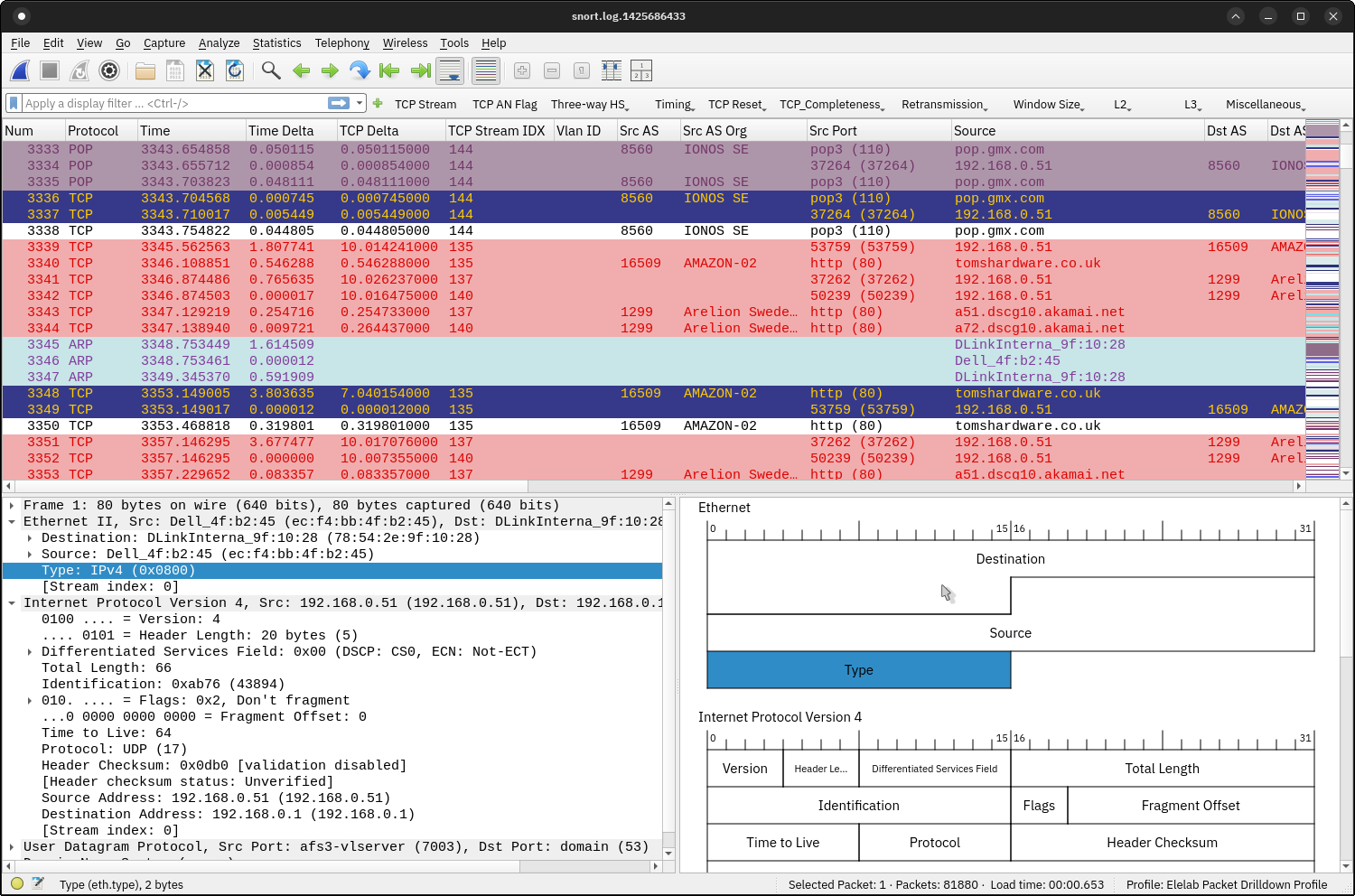
If you’ve spent any significant time looking at packet captures, you know that the default Wireshark views can be a real headache. Sifting through thousands of frames looking for a single retransmission or an obscure VLAN tag is like finding a needle in a digital haystack.
To help make troubleshooting a little easier, I decided to publish my personal Wireshark profile. It’s packed with custom colorizations, pre-configured filters, and useful packet list columns to help you segment traffic at a glance.
Here is what is included:
- Inline Network VLAN IDs: Instantly see L2 segmentation directly in the main packet list.
- GeoIP & ASN Resolution: Autonomous System numbers and organization metadata are added as columns so you know exactly where public traffic is coming from or going.
- Three-Way Handshake Filters: Quick buttons to isolate TCP session establishment.
- TCP Retransmission Analysis: Custom coloring rules to highlight network congestion, out-of-order packets, and drops.
- Layer 2 and Layer 3 Filters: Pre-saved filters for common protocols and address structures.
- Investigation Shortcuts: A set of miscellaneous filters designed to speed up real-world root cause analysis.
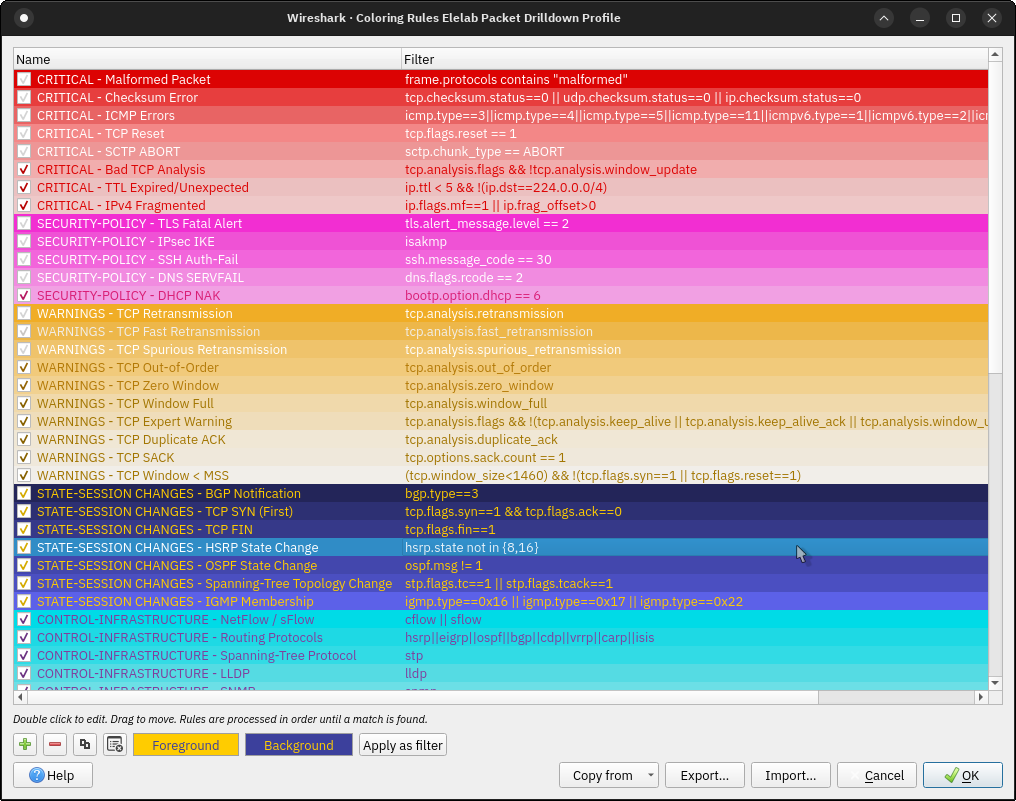
Get the Profile & Installation Instructions
The profile is open-source and free to use. You can download it and view the installation instructions on GitHub:
- GitHub Repository: skhell Wireshark Profile